Threaddit tracks your needlepoint thread by color, brand, and dye lot, shows which canvas each thread is for, and turns it all into a shopping list you can take to the shop.
Three ways to scancamera, Continuity Camera, or USB scanner
One shopping listfor every canvas you're working on
Your data stays yoursno account, synced through your own iCloud
Answers a box of thread can't give you.
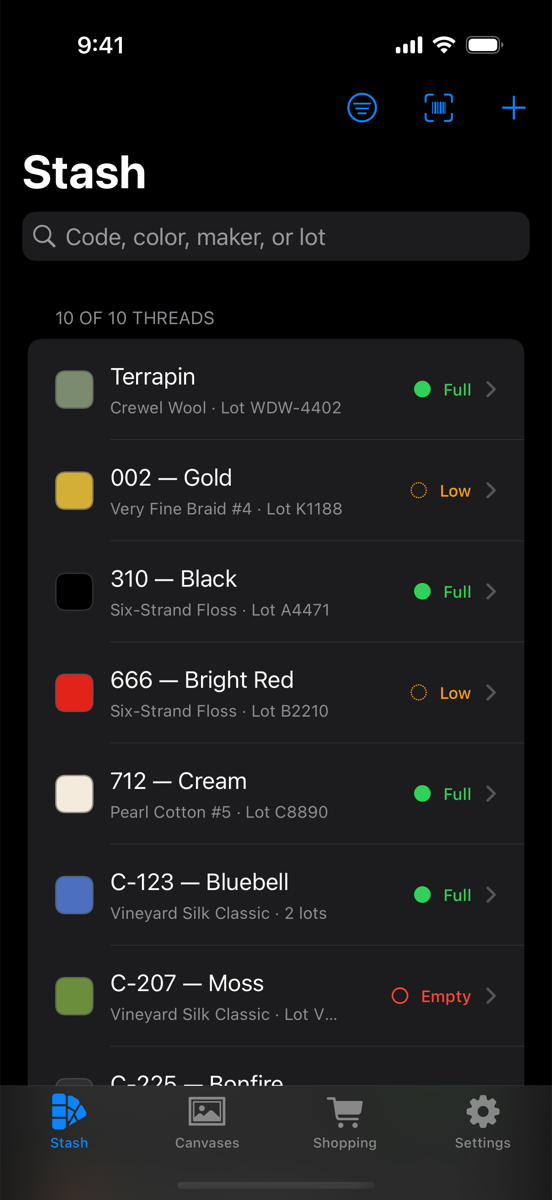
What do I own? How much is left? Which canvas is it for? What do I need to buy? Threaddit answers all four.
Your whole stash
Search and filter by color code, color name, manufacturer, product line, or lot number. Your full collection, sorted however you want it.
Dye lots, done right
A color and a physical skein are separate things. Three skeins of Bluebell across two lots? Threaddit shows each one, so the lots in your finished piece match.
How much is left
Mark each skein Full, Low, or Empty, and see at a glance what's running out before it stalls a project.
Bring your spreadsheet
Already keep a list in Excel? Import it as CSV. Export anytime, and re-importing updates your skeins without creating duplicates.
On every device
Designed for iPhone, iPad, and Mac. Your stash syncs between them through your own iCloud account, and everything works offline.
Private by design
No sign-up, no ads, no tracking. Your stash lives on your devices and in your own private iCloud storage. Privacy policy
Canvases
Plan every canvas before the first stitch.
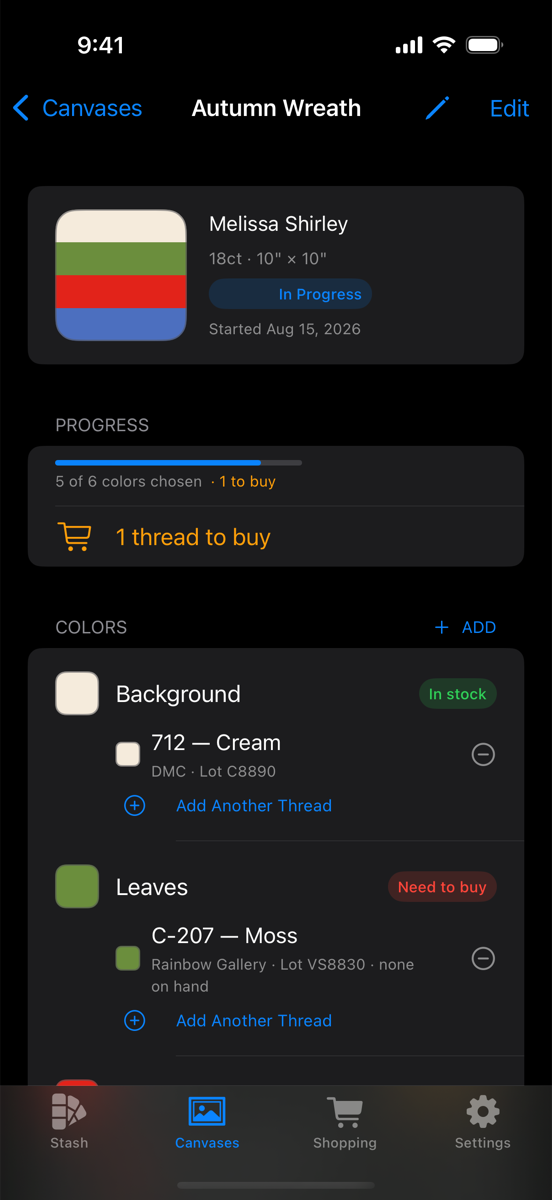
Add a canvas with a photo, designer, mesh count, and size. Split it into color areas like “sky”, “leaves”, and “background”, then assign threads to each area.
When you pick a thread, the closest matches to the painted color come first. Matching thread to paint by eye is the hard part, and scrolling an alphabetical list of hundreds of threads doesn't help with it.
Status for each canvas: Stash, In Progress, or Finished
Blend more than one thread in an area
Progress that shows which colors are ready and which aren't
Sample a color from a photo of the canvas
Scan it once. It knows it forever.
Most thread brands don't publish their barcodes, and shops often use their own labels. So Threaddit learns from you: the first time you scan a code, it asks what the thread is. Every scan after that is instant, even offline.
Camera
On iPhone and iPad, point the camera at a label. Threaddit reads the barcode and the printed text, fills in the brand, color, and fiber, and suggests the lot number.
On the Mac
Use your Mac's camera, or your iPhone as a webcam with Continuity Camera.
Handheld scanners
Plug in almost any USB or Bluetooth barcode scanner. Rapid intake lets you scan a whole bag of new thread in a row.
Shopping
Walk into the shop knowing exactly what to buy.
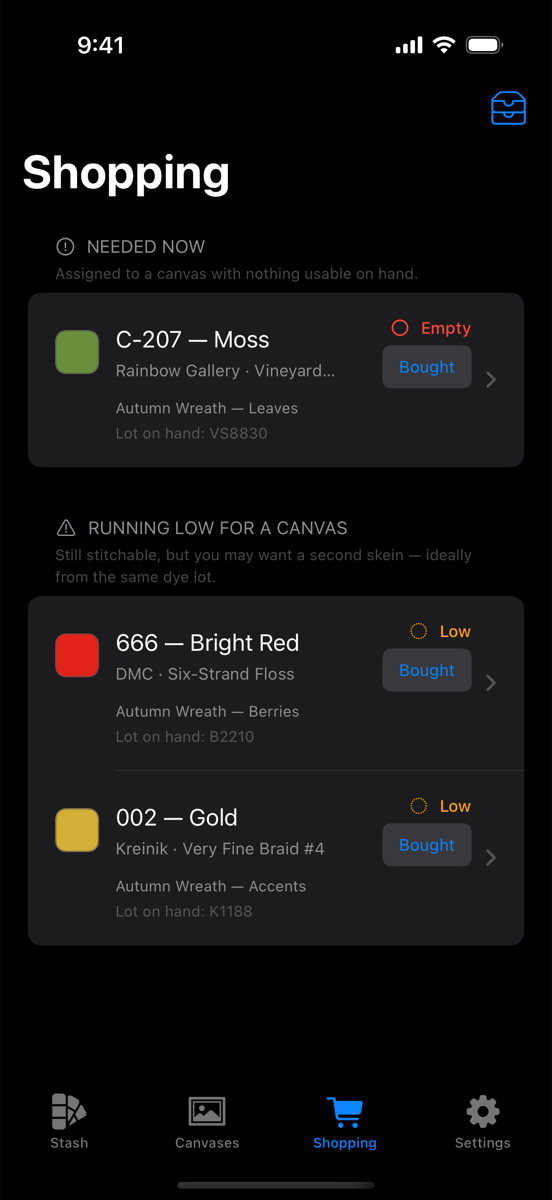
Threaddit collects what every canvas needs into one list and sorts it by urgency: what's holding up a canvas right now, what's running low, and, if you want, anything low in your stash.
If several canvases need the same thread, it's listed once. Your lot on hand is shown next to each item, so you can ask the shop for a matching dye lot.
Grouped by what's needed now and what's running low
Only the thread you're short on, not everything blended with it
Tap Bought to add the new skein, with its lot, to your stash
Your stash, finally organized.
Threaddit is coming soon to the App Store for iPhone, iPad, and Mac.